Rudder Indicator
The Rudder Indicator is a small symbol that shows the angle of a rudder with a needle. It is found in the Maritime - OpenBridge section of the Perspective Component Palette as Rudder Indicator.

It is the indicator form of the Rudder: it has no scale, labels or advice zones, and is meant for overviews where the rudder is one of many things shown. See Instruments and Indicators.
A Rudder Indicator dropped from the palette shows a rudder at 0°:
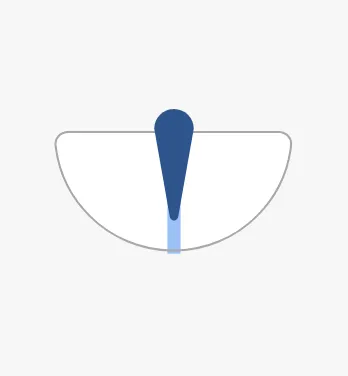
Bind angle to the rudder angle in degrees. Positive is starboard (to the
right), negative is port (to the left). The needle turns with the angle, and the
area between the needle and the centre line is filled.
-35 |
0 |
35 |
|---|---|---|
 |
|
 |
Properties
Section titled “Properties”| Name | Description | Property Type |
|---|---|---|
| angle | Rudder angle in degrees; positive is starboard. Default 0. |
value |
state tells whether this workstation controls the rudder. Its values differ
from the state of the full instruments:
| state | ||
|---|---|---|
in-command (default) |
This workstation is in command. The needle is drawn in the enhanced colour. | |
not-in-command |
The rudder is controlled from elsewhere. The needle is neutral, and a marker shows the setpoint. |
 |
off |
No signal. The needle is dimmed. |  |
Setpoint
Section titled “Setpoint”Bind setpoint to the ordered rudder angle. In the images above, the angle is
15° and the setpoint 20°: the setpoint marker is drawn in the not-in-command
state only.
Properties
Section titled “Properties”| Name | Description | Property Type |
|---|---|---|
| state | in-command, not-in-command or off. Default in-command. |
value |
| setpoint | Ordered rudder angle in degrees. Default 0. |
value |
Silhouette
Section titled “Silhouette”Set hasSilhouette to true to draw an outline around the symbol, which sets
it off from a busy background such as a vessel drawing.
false (default) |
true |
|---|---|
|
 |
Properties
Section titled “Properties”| Name | Description | Property Type |
|---|---|---|
| hasSilhouette | Draw an outline around the symbol. Default false. |
value |
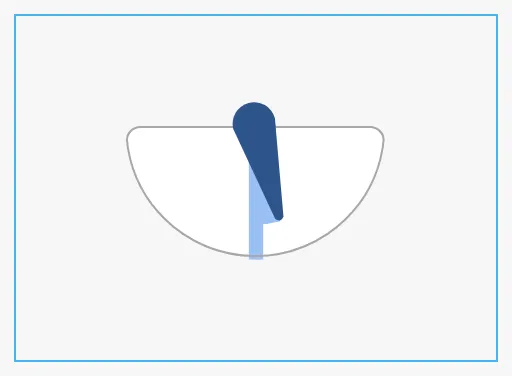
The indicator scales to fit the component’s box and is centred in it. The blue frame is the component’s box:
| Small box | Wide box |
|---|---|
 |
 |
Properties
Section titled “Properties”Properties not covered in the sections above:
| Name | Description | Property Type |
|---|---|---|
| style | Standard Perspective style object. | object |
Component Events
Section titled “Component Events”The Rudder Indicator has no component events of its own.
Examples
Section titled “Examples”Example 1 — Rudder on a Conning Overview
Section titled “Example 1 — Rudder on a Conning Overview”- Drop a Rudder Indicator onto the stern of the vessel drawing.
- Bind
angleto[default]Steering/RudderAngleandsetpointto[default]Steering/RudderOrder. - Bind
stateto an expression such asif({[default]Bridge/InCommand}, 'in-command', 'not-in-command'). - Set
hasSilhouettetotrue.
Found an error or something unclear?
Tell us what is wrong, confusing or missing on this page.
Built on the OpenBridge Design System