Analog Valve
The Analog Valve is an automation symbol for a valve that can be set to any opening between closed and fully open, such as a control or regulating valve. It is found in the Automation - OpenBridge section of the Perspective Component Palette as Analog Valve.
It is meant to be placed in a mimic or diagram, typically in a coordinate container, with its properties bound to the state of the device. The Analog Valve shows the state it is given; it does not change it, and clicking it does nothing unless you configure an event.
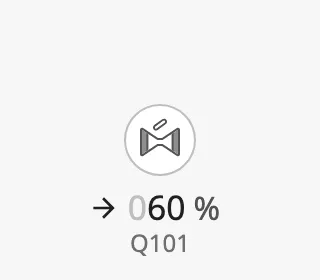
The Analog Valve is one of the automation buttons. The readout and tag, the alert frame, the progress ring, the badges, the size and the positioning are shared by all of them and are described in Automation Buttons — Common Features. This page covers what is specific to the Analog Valve.
A Analog Valve dropped from the palette with default properties:
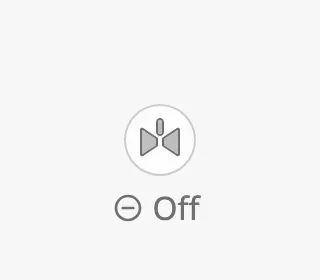
Bind open to the tag or property that tells whether the valve is open. The
symbol is drawn filled and grey when open is false, and as an outline when
it is true.
| Closed | Open |
|---|---|
 |
 |
The status row of the readout shows Off while the valve is closed, and the opening in percent while it is open.
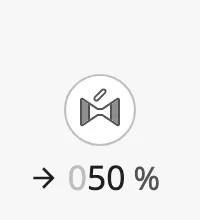
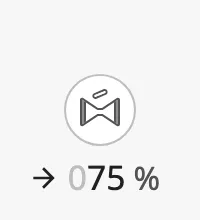
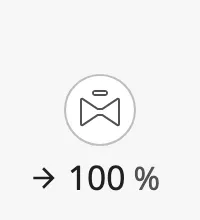
Opening
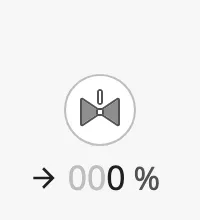
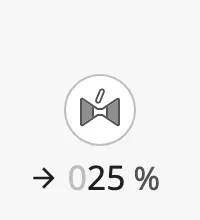
Section titled “Opening”Bind value to the opening of the valve in percent, from 0 (closed) to 100
(fully open). While open is true, the readout shows the value, and the
indicator on top of the symbol follows it.
0 |
25 |
50 |
75 |
100 |
|---|---|---|---|---|
 |
 |
 |
 |
 |
open and value are independent: the symbol is drawn as closed whenever
open is false, whatever value is. Bind open to the feedback of the
valve, or to an expression such as value > 0.
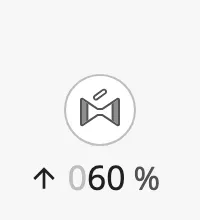
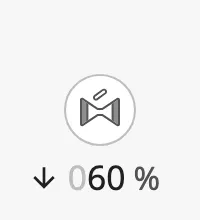
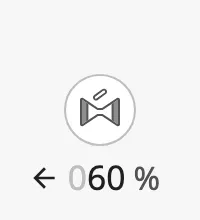
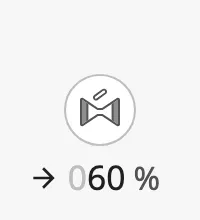
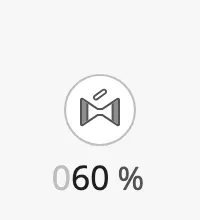
Label Direction
Section titled “Label Direction”labelDirection selects the arrow in front of the value. Point it in the
direction of the flow through the valve, or set it to none to hide it. The
property is only shown when open is true.
up |
down |
left |
right (default) |
none |
|---|---|---|---|---|
 |
 |
 |
 |
 |
Variant and Orientation
Section titled “Variant and Orientation”variant selects whether the icon is drawn on a button or directly on the
background:
regular(default) — the icon sits on a round button.flat— only the icon is drawn, larger and without a button. Use it where the valve is part of a pipe in a diagram.
Set vertical to true for a valve in a vertical pipe.
| Closed | Open | Closed, vertical | Open, vertical | |
|---|---|---|---|---|
regular |
|
|
 |
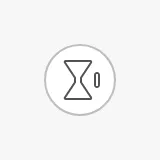 |
flat |
 |
 |
 |
 |
Properties
Section titled “Properties”| Name | Description | Property Type |
|---|---|---|
| open | Whether the valve is open. Default false. |
value |
| value | Opening in percent, 0–100. Shown in the readout and on the symbol while open is true. Default 0. |
value |
| labelDirection | Arrow in front of the value: up, down, left, right or none. Default right. Only shown when open is true. |
value |
| variant | regular draws the icon on a button, flat draws only the icon. Default regular. |
value |
| vertical | Draw the valve for a vertical pipe. Default false. |
value |
Common Properties
Section titled “Common Properties”The Analog Valve is an automation button. The properties below work in the same way on every automation button, and are described in Automation Buttons — Common Features:
- Readout — The readout next to the symbol: the status row and the tag name. Properties:
showReadoutStack,readoutPosition,readoutSize,showStatus,hasTag,tag. - Positioning — Which part of the button is aligned to the component’s box. Properties:
positioning. - Size — Size of the whole component. Properties:
componentSize. - Activated — Highlighted background that marks the symbol as selected. Properties:
activated. - Alert Frame — Alert frame around the symbol. Properties:
alert,alertFrameType,alertFrameStatus,alertFrameMode,alertFrameThickness,showAlertCategoryIcon,showAlertIcon. - Progress — Progress ring while a command is carried out. Properties:
progress,progressMode,progressValue. - Badges — Badges in the corners of the symbol. Properties:
badgeControl,badgeAlert,badgeInterlock,badgeCommandLocked. - Style — Standard Perspective style object.
Component Events
Section titled “Component Events”The Analog Valve has no component events of its own. The standard Perspective events,
such as onClick, are available in the component’s event configuration. See
Operating a Device.
Found an error or something unclear?
Tell us what is wrong, confusing or missing on this page.
Built on the OpenBridge Design System