Compass
The Compass shows the heading and the course over ground of the vessel on a full compass rose. It can also show the heading setpoint, the rate of turn, the wind and the current. It is found in the Maritime - OpenBridge section of the Perspective Component Palette as Compass.
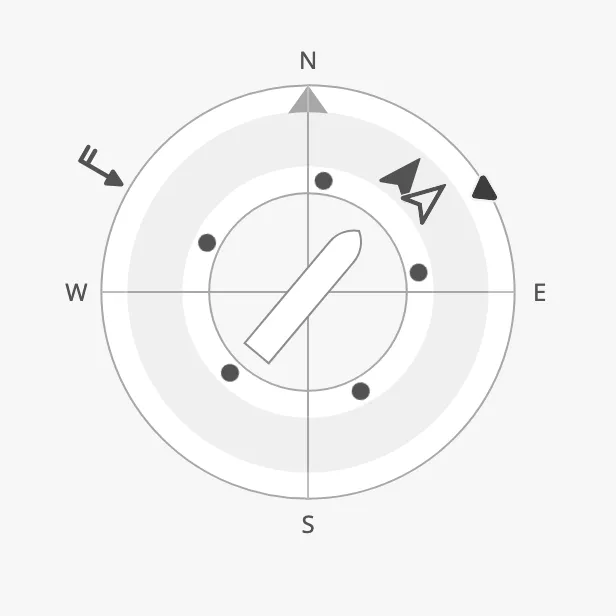
The parts of the instrument:
- Compass rose — the ring with north marked. See Orientation.
- Heading and course arrows — the filled arrow is the heading (HDG), the outlined arrow the course over ground (COG). See Heading and Course.
- Vessel — a symbol of the vessel in the centre, turned to the heading, or readouts in its place. See Centre.
- Setpoint — the ordered heading, on the outer ring. See Heading Setpoint.
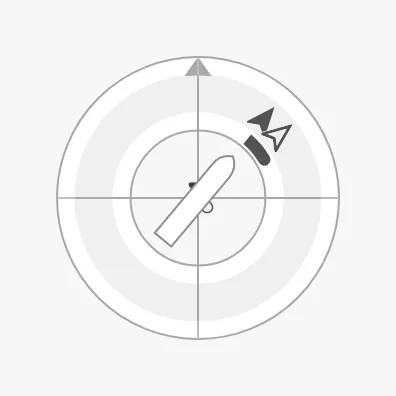
- Rate of turn — moving dots or a bar. See Rate of Turn.
- Wind and current — arrows outside the ring. See Wind and Current.
The Compass is one of the maritime instruments. State, priority, how a setpoint works, advice zones and sizing are shared by all of them and are described in Maritime Instruments — Common Features. This page covers what is specific to the Compass.
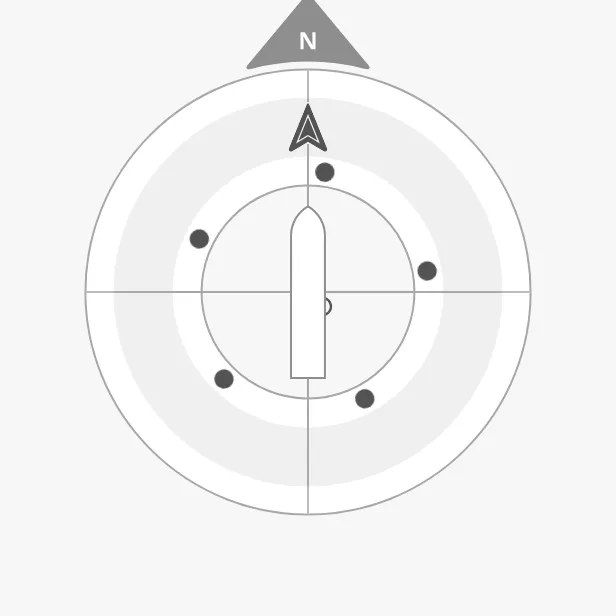
A Compass dropped from the palette shows heading and course 0° and has no labels:
Heading and Course
Section titled “Heading and Course”Bind heading to the heading of the vessel and courseOverGround to its course
over ground, both in degrees.
hdgArrowStyle and cogArrowStyle select how each is drawn:
| hdgArrowStyle | |
|---|---|
arrowHead (default) |
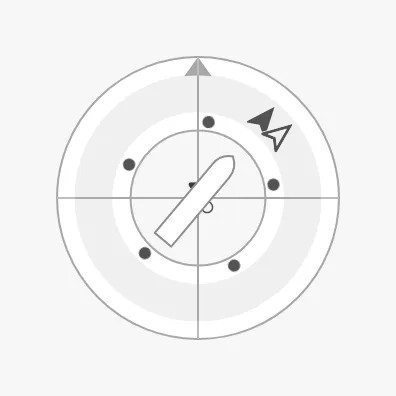 |
needle |
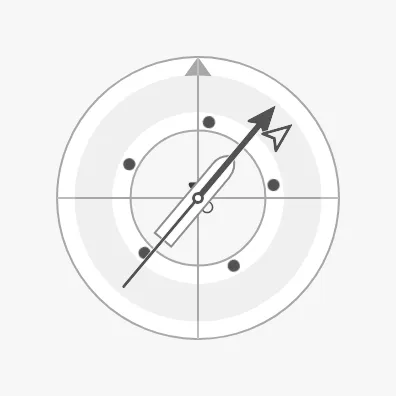 |
vector |
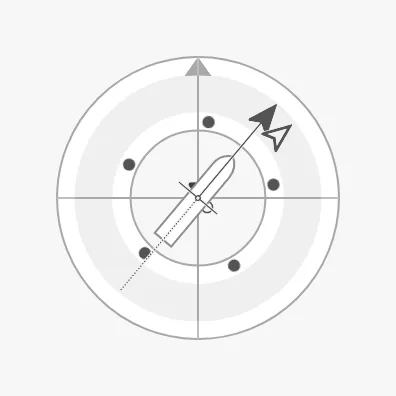 |
beamLine |
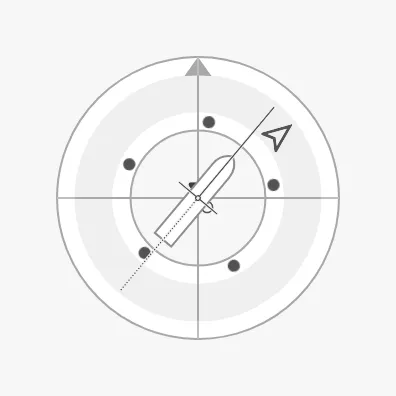 |
| cogArrowStyle | |
|---|---|
arrowHead (default) |
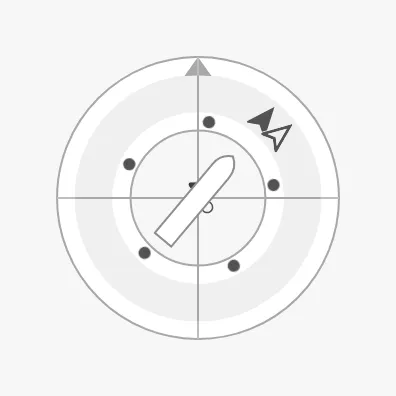 |
needle |
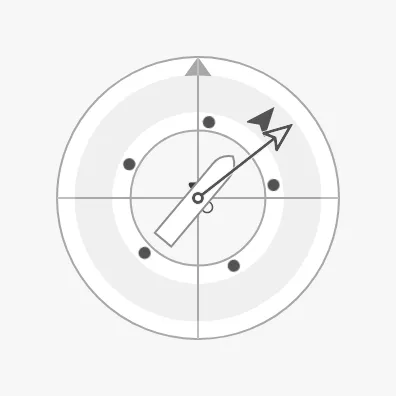 |
vector |
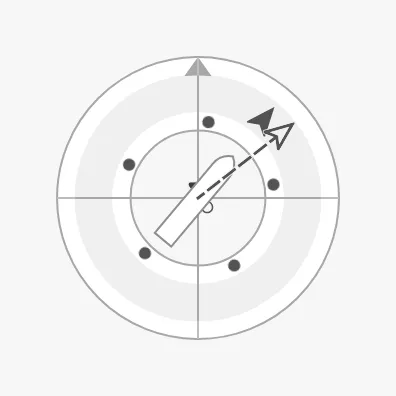 |
velocityVector |
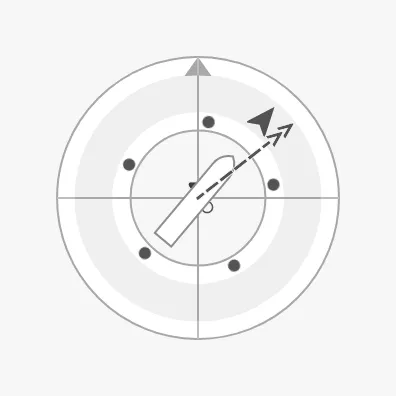 |
Properties
Section titled “Properties”| Name | Description | Property Type |
|---|---|---|
| heading | Heading of the vessel in degrees. Default 0. |
value |
| courseOverGround | Course over ground in degrees. Default 0. |
value |
| hdgArrowStyle | arrowHead, needle, vector or beamLine. Default arrowHead. |
value |
| cogArrowStyle | arrowHead, needle, vector or velocityVector. Default arrowHead. |
value |
Orientation
Section titled “Orientation”direction selects what is up on the instrument:
| direction | ||
|---|---|---|
northUp (default) |
North is up; the vessel and the arrows turn. | 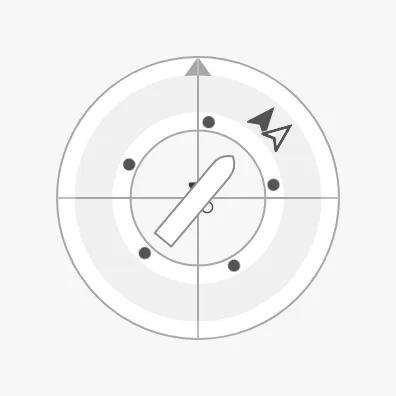 |
headingUp |
The heading is up; the compass rose turns under the vessel. | |
courseUp |
The course over ground is up. | 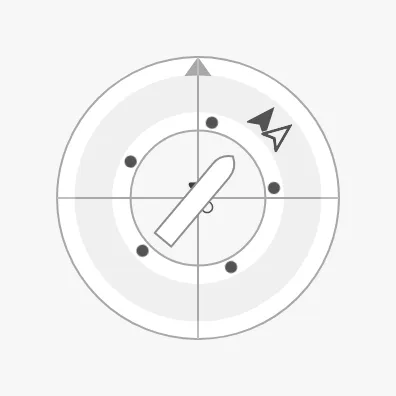 |
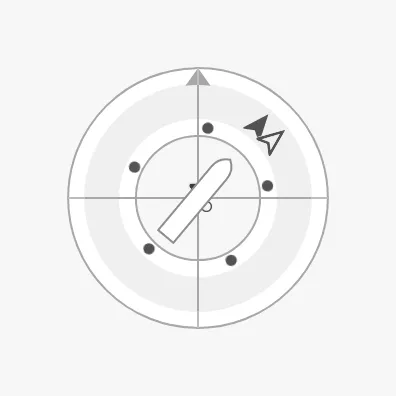
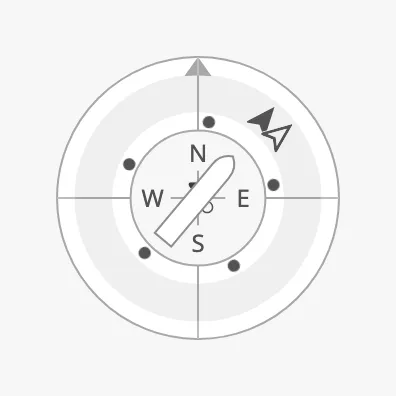
showLabels shows the letters N, E, S and W; the north arrow is always shown.
tickmarksInside moves the letters and the north arrow inside the outer ring,
which makes the ring larger in the same box.
showLabels = false |
tickmarksInside = true |
|---|---|
 |
 |
Properties
Section titled “Properties”| Name | Description | Property Type |
|---|---|---|
| direction | northUp, headingUp or courseUp. Default northUp. |
value |
| showLabels | Show the letters N, E, S and W. Default false. |
value |
| tickmarksInside | Place the letters and the north arrow inside the ring. Default false. |
value |
Heading Setpoint
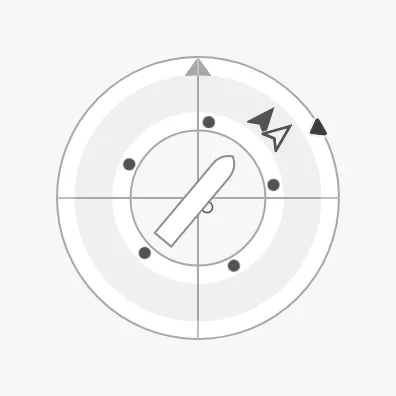
Section titled “Heading Setpoint”Set headingSetpoint to the ordered heading to show a setpoint marker on the
outer ring. Leave it empty (null) for no setpoint. The setpoint works as
described in Setpoint, with heading in the property
names.
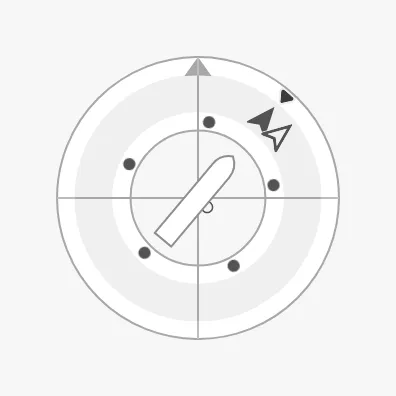
| Setpoint at 60° | Reached | A new setpoint being chosen |
|---|---|---|
 |
 |
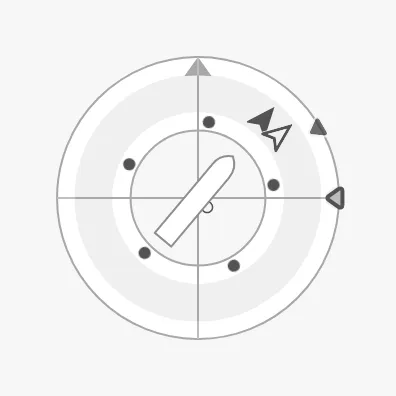 |
Unlike most instruments, the Compass decides by itself when the setpoint is
reached: autoAtHeadingSetpoint is true by default, with a deadband of 2°.
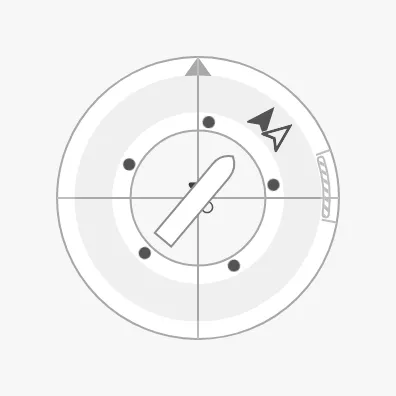
headingAdvices is a list of advice zones on the
compass rose, with minAngle and maxAngle as headings in degrees:
Properties
Section titled “Properties”| Name | Description | Property Type |
|---|---|---|
| headingSetpoint | Ordered heading in degrees. Empty by default: no setpoint. | value |
| autoAtHeadingSetpoint | Let the compass decide when the setpoint is reached. Default true. |
value |
| autoAtHeadingSetpointDeadband | Degrees the heading may differ from the setpoint and still count as reached. Default 2. Only shown when autoAtHeadingSetpoint is true. |
value |
| atHeadingSetpoint | Whether the setpoint is reached. Only shown when autoAtHeadingSetpoint is false. |
value |
| touching | The operator is operating the heading control. Default false. |
value |
| hasNewHeadingSetpoint | Show a second marker for a setpoint that is being chosen. Default false. |
value |
| newHeadingSetpoint | The setpoint being chosen. Only shown when hasNewHeadingSetpoint is true. |
value |
| animateSetpoint | Animate the marker when a new setpoint is confirmed. Default false. |
value |
| headingSetpointAtZeroDeadband | How close to zero the setpoint must be to be drawn in its “zero” form. Default 0.5. |
value |
| headingSetpointOverride | Keep the setpoint in its normal colour in the loading and off states. Default false. |
value |
| headingAdvices | Advice zones on the compass rose. Empty by default. | array |
Rate of Turn
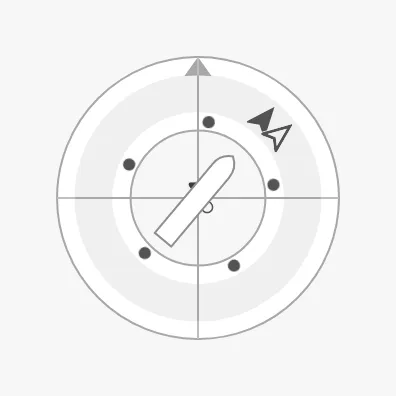
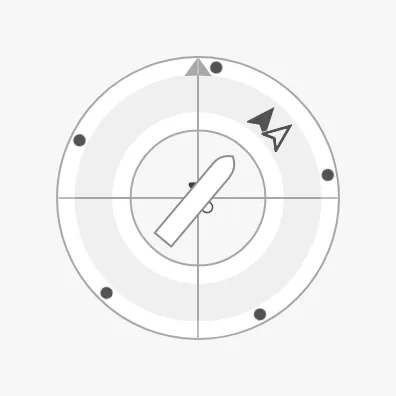
Section titled “Rate of Turn”The Compass shows the rate of turn (ROT) in one of two ways, selected with
rotType, and in one of two places, selected with rotPosition:
| rotType | rotPosition = innerCircle (default) |
rotPosition = scale |
|---|---|---|
dots (default) |
 |
 |
bar |
 |
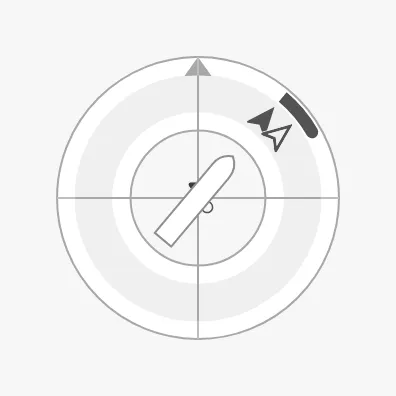 |
dots— dots that travel around the ring, faster the faster the vessel turns, in the direction of the turn.bar— an arc that starts at the heading and grows in the direction of the turn. It reachesrotArcExtentdegrees of the ring when the rate of turn isrotMaxValue.
Set hasRateOfTurnDegreesPerMinute to true and bind
rateOfTurnDegreesPerMinute to the rate of turn in degrees per minute; positive
is a turn to starboard.
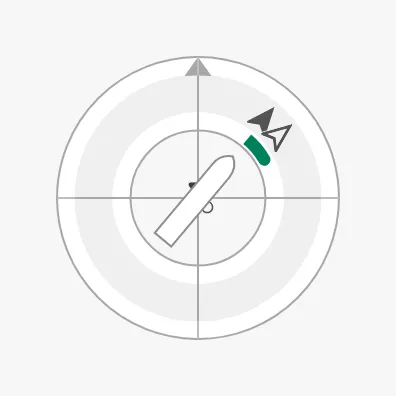
With rotPortStarboard set to true, the bar is drawn in the starboard colour
(green) for a turn to starboard and in the port colour (red) for a turn to port:
Note: Until
hasRateOfTurnDegreesPerMinuteis set, the Compass uses the deprecatedrotationsPerMinuteproperty, which is1by default. A new Compass therefore shows moving dots although no rate of turn is bound. SethasRateOfTurnDegreesPerMinutetotrueand bind the value, or setrotationsPerMinuteto0.
Properties
Section titled “Properties”| Name | Description | Property Type |
|---|---|---|
| hasRateOfTurnDegreesPerMinute | Use rateOfTurnDegreesPerMinute. Default false. |
value |
| rateOfTurnDegreesPerMinute | Rate of turn in degrees per minute; positive is starboard. Only shown when hasRateOfTurnDegreesPerMinute is true. |
value |
| rotType | dots or bar. Default dots. |
value |
| rotPosition | innerCircle or scale (the outer ring). Default innerCircle. |
value |
| rotDotAnimationFactor | How much faster than the real rate the dots move. Default 18. Only shown when rotType is dots. |
value |
| rotMaxValue | Rate of turn, in degrees per minute, at which the bar is full. Default 60. Only shown when rotType is bar. |
value |
| rotArcExtent | Length of the full bar, in degrees of the ring. Default 60. Only shown when rotType is bar. |
value |
| rotAtZeroDeadband | Rate of turn below which the bar is shown as zero. Only shown when rotType is bar. |
value |
| rotPortStarboard | Colour the bar by the direction of the turn. Default false. |
value |
| rotationsPerMinute | Deprecated. Used when hasRateOfTurnDegreesPerMinute is false. Default 1. |
value |
Wind and Current
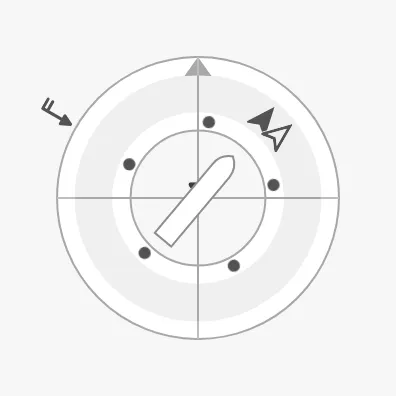
Section titled “Wind and Current”The Compass can show where the wind and the current come from, as arrows outside the ring that point towards the centre.
| Wind | Current |
|---|---|
 |
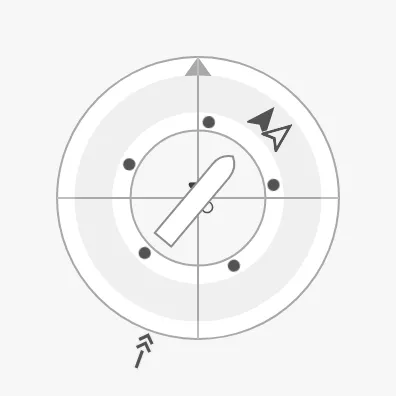 |
- Wind — set
windFromDirectionto the direction the wind comes from, in degrees, andcurrentWindSpeedKnotsto its speed in knots. The barbs on the arrow show the speed. - Current — set
currentFromDirectionto the direction the current comes from, andcurrentSpeedto the number of arrow heads to draw, as a measure of its strength.
Each arrow is shown only when both of its properties are set.
Properties
Section titled “Properties”| Name | Description | Property Type |
|---|---|---|
| windFromDirection | Direction the wind comes from, in degrees. Empty by default. | value |
| currentWindSpeedKnots | Wind speed in knots. Empty by default. | value |
| currentFromDirection | Direction the current comes from, in degrees. Empty by default. | value |
| currentSpeed | Strength of the current, as a number of arrow heads. Empty by default. | value |
Centre
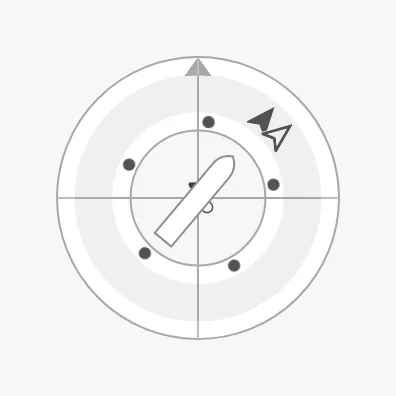
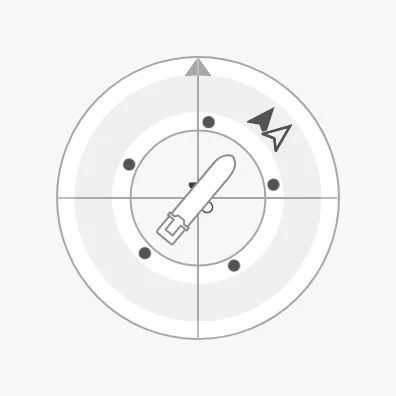
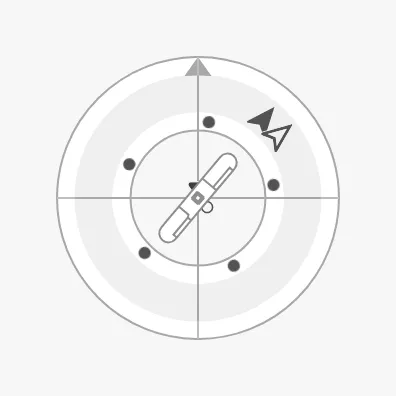
Section titled “Centre”vesselImage selects the vessel symbol in the centre. There are symbols for
several vessel types, each seen from the top, side, fore or aft; for the Compass
use one seen from the top:
generic-top (default) |
cargo-top |
car-ferry-top |
|---|---|---|
 |
 |
 |
The other top views are cargo-wind-top, fishing-vessel-top, psv-top,
sov-top, tanker-top, drone-small-top, drone-medium-top,
drone-generic-top and rov-top.
Readouts
Section titled “Readouts”Instead of the vessel, the centre can show the numbers. centerReadouts is a
list of readouts, each an object with a source: hdg for the heading, cog
for the course over ground or rot for the rate of turn. The first is drawn
large at the top and the rest side by side below it:
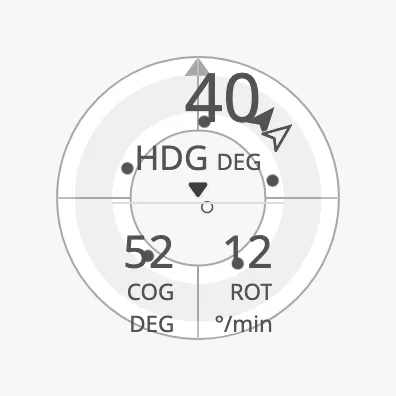
Note: With
rotTypedotson the inner circle, the dots pass over the readouts. UserotPositionscale, orrotTypebar, together with centre readouts.
Properties
Section titled “Properties”| Name | Description | Property Type |
|---|---|---|
| vesselImage | Vessel symbol in the centre. Default generic-top. Not drawn when centerReadouts has entries. |
value |
| centerReadouts | Readouts shown instead of the vessel, each with a source of hdg, cog or rot. Empty by default. |
array |
State and Priority
Section titled “State and Priority”state and priority work as described in State and
Priority.
active |
loading |
off |
|---|---|---|
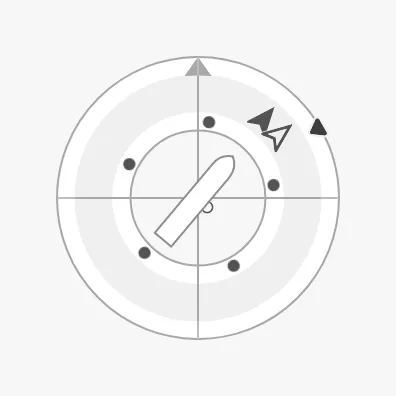 |
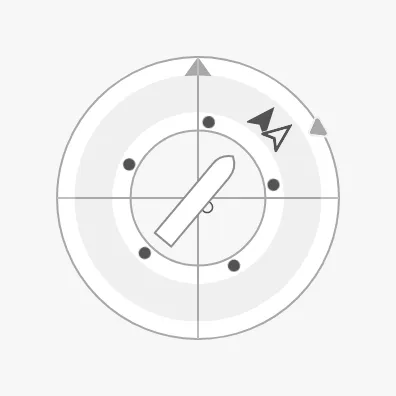 |
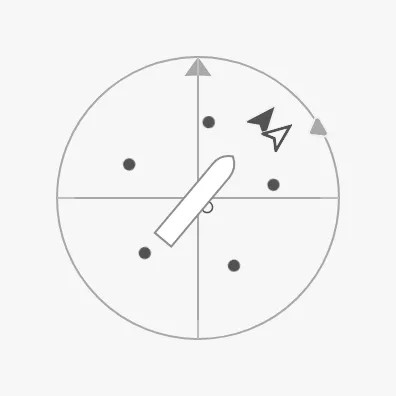 |
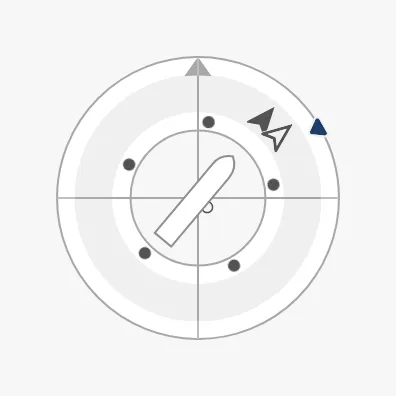
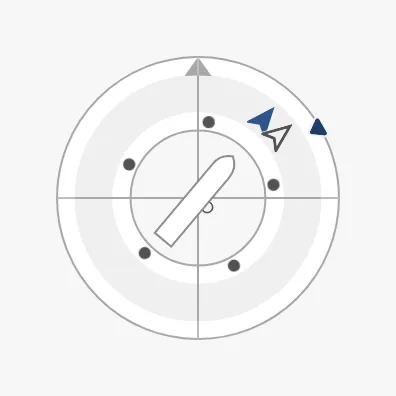
With priority enhanced, priorityElements selects which parts get the
enhanced colour: a list of hdg, cog, rot, wind and current. The
property is only shown when priority is enhanced.
priority = enhanced |
priorityElements = ["hdg"] |
|---|---|
 |
 |
Properties
Section titled “Properties”| Name | Description | Property Type |
|---|---|---|
| priorityElements | Parts drawn in the enhanced colour: hdg, cog, rot, wind, current. Only shown when priority is enhanced. |
array |
Common Properties
Section titled “Common Properties”These work in the same way on every maritime instrument, and are described in Maritime Instruments — Common Features:
- State —
state. - Priority —
priority. - Size —
hasFaceDiameter,faceDiameter. - Style and Events —
style.
Component Events
Section titled “Component Events”The Compass has no component events of its own.
Examples
Section titled “Examples”Example 1 — Compass for an Autopilot
Section titled “Example 1 — Compass for an Autopilot”- Drop a Compass into the view and make it square, about 400 px.
- Set
showLabelstotrue. - Bind
headingto[default]Nav/HeadingandcourseOverGroundto[default]Nav/COG. - Bind
headingSetpointto[default]Autopilot/HeadingOrder. - Set
hasRateOfTurnDegreesPerMinutetotrue, bindrateOfTurnDegreesPerMinuteto[default]Nav/ROT, and setrotTypetobar. - Set
prioritytoenhancedwhile the autopilot is engaged, with an expression such asif({[default]Autopilot/Engaged}, 'enhanced', 'regular').
Found an error or something unclear?
Tell us what is wrong, confusing or missing on this page.
Built on the OpenBridge Design System